
How to Connect Multiple Accounts and Multistream with StreamPlacements
StreamPlacements lets you link all your streaming accounts and earn from multiple platforms at once.
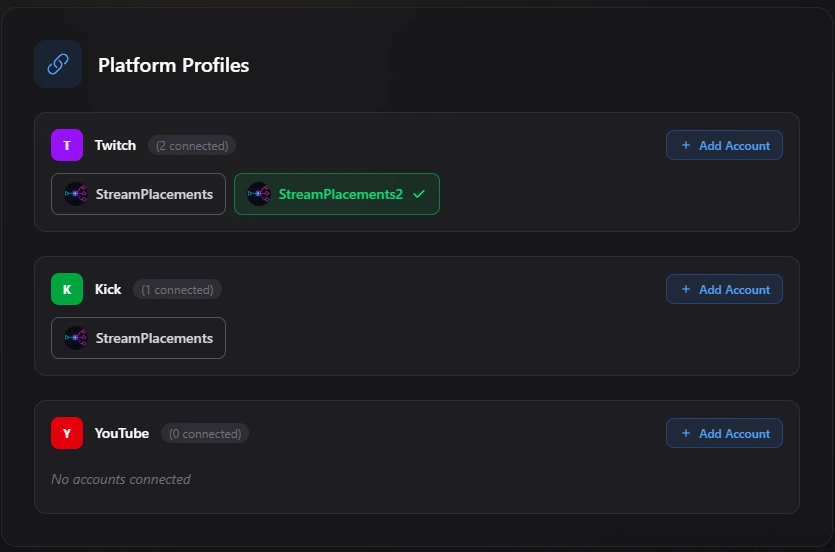
Connecting Accounts
You can press your profile icon on the top right and select "Add Account" to connect additional Twitch, Kick, or YouTube channels.
Please note that you cannot create multiple StreamPlacements accounts with the same email address. Instead, connect all your other streaming accounts directly to your existing StreamPlacements profile. This ensures that your data, campaigns, and payouts are managed in one place.
Multistreaming & Earnings
Some advertisers run campaigns across several platforms. If you have multiple accounts connected and multistream all your channels together, you'll earn from every platform at the same time.
Payouts from all connected platforms are automatically bundled together, making it faster and easier to reach your payout threshold. Learn more about how earnings work in our guide to monetizing Twitch, Kick & YouTube Live streams.
Limitations
If you connect multiple accounts from the same platform, you can only stream with one of them at a time.
For complete platform rules and restrictions, refer to our StreamPlacements Terms of Service.